
The Ultimate Guide to Cross Device Testing
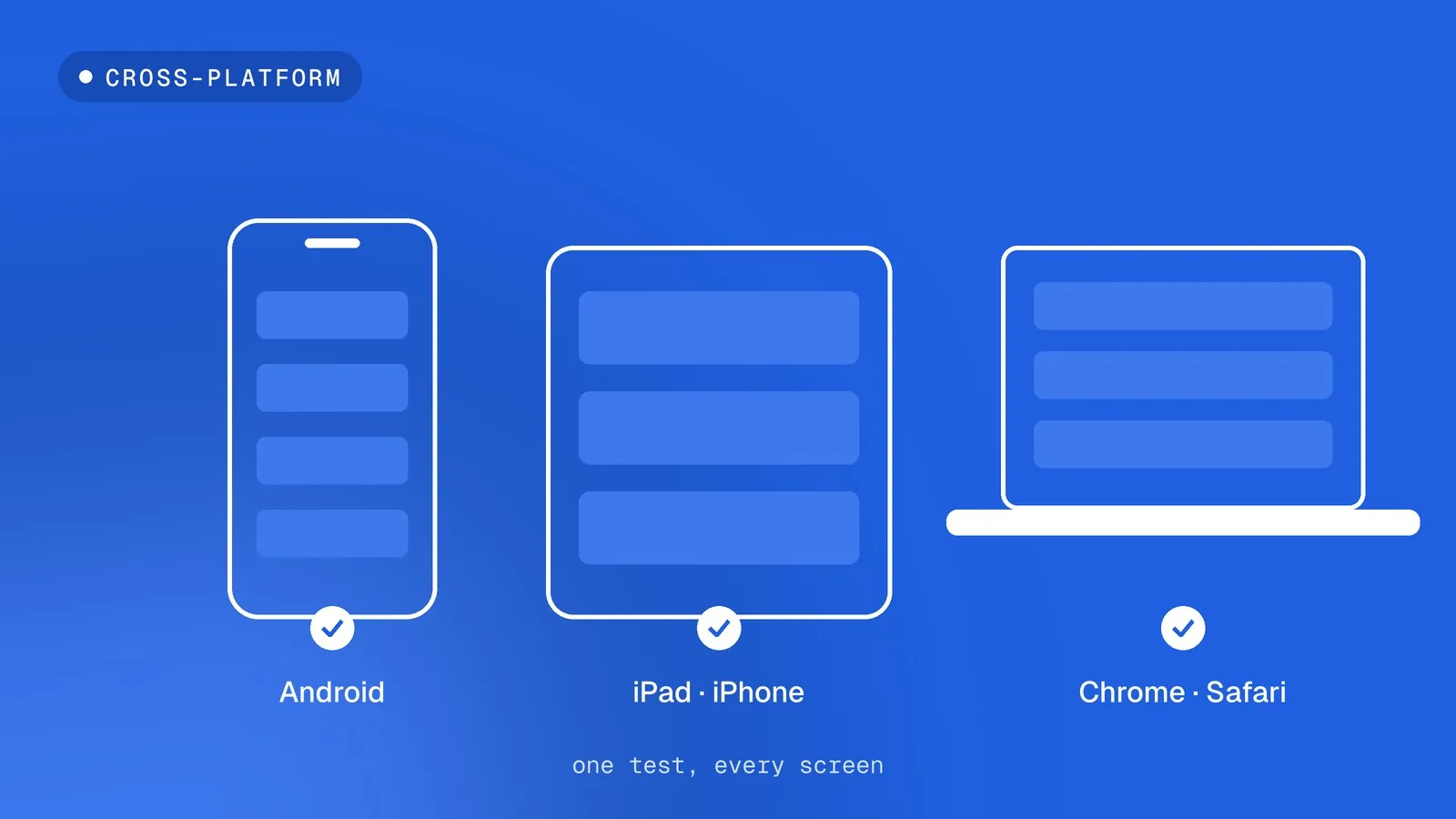
Whether your users are on a smartphone, tablet, or desktop, they expect a seamless experience. Testing across devices ensures that your web and mobile applications perform flawlessly, no matter the platform. But how can you ensure effective Cross Device Testing? Let's dive in.
What is Cross Device Testing?
Cross Device Testing is the process of verifying that your website or application works as intended across a wide range of devices. This includes different screen sizes, operating systems, browsers, and hardware capabilities. Essentially, it's about ensuring that your app is functional, user-friendly, and visually consistent on any device a user might use.
Why is Cross Device Testing Necessary?
With the diversity of devices available today, from high-end smartphones to budget tablets, ensuring compatibility is critical. Cross Device Testing helps:
- Improve user experience (UX) across all platforms.
- Identify performance issues specific to certain devices.
- Ensure design consistency and responsiveness.
- Boost brand reputation by providing a seamless experience, regardless of the user’s device.
Failing to test your application on various devices can lead to poor performance, compatibility issues, and even loss of business.
What Are the Cross Device Testing Strategies?
To get the most out of Cross Device Testing, it’s important to adopt specific strategies, such as:
- Real Device Testing: Using actual devices for accurate results, especially when testing hardware features like cameras or GPS.
- Emulators and Simulators: Useful for quick tests, but they might not reflect real-world conditions perfectly.
- Parallel Testing: Running tests simultaneously on multiple devices to save time.
- Cloud-Based Testing: Testing on virtual devices in the cloud for scalability and flexibility (like TRAILBLU offers).
What Are the Issues to Identify in Cross Device Testing?
During Cross Device Testing, you'll want to identify:
- Layout and Design Issues: Some elements may not render correctly across devices with different resolutions.
- Performance Discrepancies: A smooth app on one device may lag on another.
- Touch and Gesture Sensitivity: What works on a touchscreen may not work on a desktop. -Browser Compatibility: Different browsers may interpret code differently, leading to unexpected behavior.
Key Considerations for Cross Device Testing
Before you begin Cross Device Testing, keep these considerations in mind:
- Device Prioritization: Focus on the most popular devices your target audience uses.
- Testing Frequency: Make Cross Device Testing a continuous process, especially after updates or new releases.
- Network Conditions: Test under different network environments like 3G, 4G, and Wi-Fi to ensure performance across varying speeds.
What Are the Benefits of Cross Device Testing?
Here’s why Cross Device Testing is a game changer:
- Enhanced User Experience: A smoother, consistent UX increases user retention and satisfaction.
- Wider Reach: Ensures that your app or website works perfectly across all platforms and devices, expanding your audience.
- Early Detection of Issues: Catch bugs or issues before they become user complaints.
- Competitive Advantage: An app that works well on all devices stands out in a crowded market.
What Are the Challenges of Cross Device Testing?
Despite its importance, Cross Device Testing comes with challenges:
- Device Fragmentation: The sheer number of devices, OS versions, and browsers can be overwhelming.
- Cost and Resources: Maintaining a lab with all these devices can be costly.
- Time-Consuming: Testing on multiple devices takes time, especially if done manually.
This is where solutions like TRAILBLU come in.
How to Achieve Cross Device Testing?
Achieving effective Cross Device Testing requires the right tools, strategies, and planning. Here’s a step-by-step guide:
- Identify the Devices: Focus on devices that are most popular with your users.
- Automate Where Possible: Use automation tools to run repetitive tests.
- Use Real Devices and Simulators: A blend of real devices and simulators gives you accurate results while staying cost-effective.
- Leverage Parallel Testing: Speed up the process by running tests simultaneously.
How to Choose What Devices to Test On?
You don’t need to test on every device under the sun—prioritize based on:
- User Demographics: Which devices your users commonly use.
- Market Share: Focus on the devices with the largest market share in your region.
- OS Versions: Ensure compatibility with both older and newer operating systems.
How to Conduct Effective Cross Device Testing?
To make your Cross Device Testing process efficient:
- Define Your Scope: Decide which devices, OS, and browsers you’ll test on.
- Run Tests in Parallel: Save time by running tests simultaneously on multiple devices.
- Monitor Results Closely: Track your test results to catch errors early.
Tools for Cross-Device Testing
When it comes to Cross-Device Testing, TRAILBLU stands out by offering a seamless experience with its Real Mobile Device Farm and Browser Farm, enabling parallel execution on real devices across multiple platforms. Whether you're testing for web, mobile, or APIs, TRAILBLU’s cloud-based solutions ensure your applications work flawlessly on any device.
Testsigma: This AI tool specializes in no-code test automation. It enables testers to automate and execute cross-device tests on web, mobile, and desktop applications, as well as APIs. Testsigma integrates with the device cloud of your choice, allowing flexible, scalable testing across multiple browsers and devices.
LambdaTest: A versatile platform for testing web and mobile apps on real devices, browsers, and platforms. LambdaTest supports both manual and automated testing and integrates well with popular frameworks for seamless testing workflows.
Sauce Labs: Sauce Labs provides cloud-based testing for a wide range of browsers and devices. Supporting both desktop and mobile testing, it integrates with CI/CD pipelines, making it ideal for automating tests in fast-paced development environments.
BrowserStack: One of the most widely-used cloud-based testing platforms, BrowserStack offers access to over 3,000 real devices and browsers. It supports both manual and automated testing, ensuring your website or app functions perfectly across different environments.
How to Perform Cross Device Testing Using TRAILBLU: A Step-by-Step Guide
TRAILBLU makes Cross Device Testing a breeze by offering a powerful combination of real devices, virtual machines, and cloud-based testing environments. Here's how you can perform Cross Device Testing using TRAILBLU:
Step 1: Select Your Devices Log into TRAILBLU and access the Real Mobile Device Farm or Browser Farm. Select the devices and browsers you want to test on.
Step 2: Set Up Your Test Cases Load your automated or manual test scripts into TRAILBLU’s platform. You can integrate it with your existing testing framework or create new test cases directly in the system.
Step 3: Run Parallel Tests Utilize Parallel Execution to test across multiple devices simultaneously. This saves time and provides instant feedback on device-specific issues.
Step 4: Analyze Results Once your tests are complete, review detailed reports. TRAILBLU provides visual logs, screenshots, and videos for comprehensive results, making it easy to spot layout issues or functional bugs.
Step 5: Optimize and Retest Based on your findings, make the necessary adjustments to your app or site. Retest to confirm that issues have been resolved.
Conclusion
Cross Device Testing is crucial in today’s multi-device landscape. It ensures your app or website performs seamlessly across all platforms, leading to enhanced user experience, broader reach, and a competitive edge. While challenges exist, tools like TRAILBLU make the process easier, faster, and more efficient by offering cloud-based, parallel testing on real devices. Start optimizing your app for all devices today, and ensure your users enjoy a flawless experience, no matter how they access your platform.